
Zions Bank business accounts help business owners manage money easily. The bank offers checking accounts, savings, loans, and digital tools. It works in several western U.S. states and has roots going back to 1873.

This guide explains Zions Bank’s business-checking options, savings accounts, fees, and digital services available. You’ll get clear facts. And we’ll show how to pick the best account for your needs.
About Zions Bank
Zions Bank is a well-established financial institution and a division of Zions Bancorporation, a major regional banking company in the United States. Its headquarters are located in Salt Lake City, Utah, where the bank has been part of the business and community landscape for generations.
The bank primarily serves customers across the western United States, with a strong presence in states such as Utah, Idaho, Colorado, Arizona, and Nevada, along with several other markets where it offers both in-branch and online services. Its network is designed to support the needs of local businesses while also providing access to broader banking capabilities.
Whether you’re starting a side hustle or managing a growing company, Zions Bank offers a full range of business accounts with flexible features and honest pricing.
Here’s what you can expect with Zions Bank business accounts:
- Checking accounts that match your business’s size, goals, and activity.
- Zions business savings options with straightforward interest rates and low fees.
- Friendly support from real bankers, plus smart online tools to simplify daily tasks.
Let’s break down these Zions Bank business accounts and see which one fits your needs best.

Types of Zions Bank Business Checking Accounts
Zions Bank business accounts cover a full range of checking options to meet the needs of every business, from solo entrepreneurs to large corporations. Each account includes digital tools, in-person support, and features that help simplify business banking:
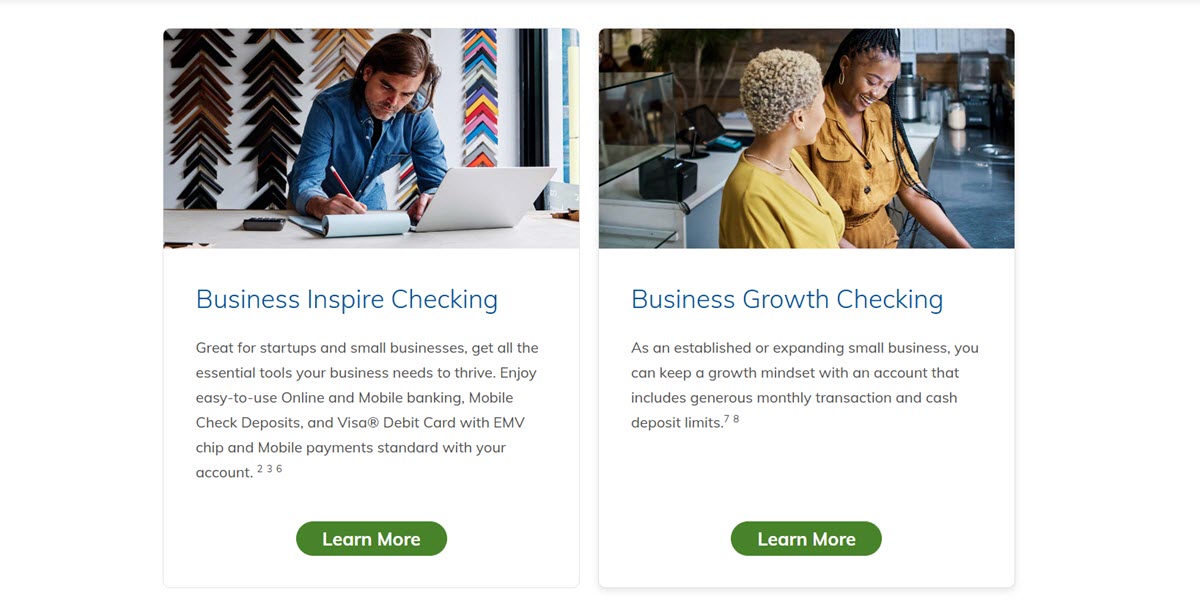
Business Inspire Checking
This entry-level option in the Zions Bank business accounts lineup is perfect for new or small businesses that want a simple way to manage money. You will get essential features like:
- Business Online Banking and Mobile Banking
- Online Bill Pay
- Mobile Check Deposits
- Zelle for fast money transfers
- Visa Business Debit Card with EMV chip
- Digital invoicing and payment acceptance
- Up to 50 free transactions and $3,000 in cash deposits per statement cycle
- Customizable transaction alerts
- Paperless options to avoid $3 monthly paper statement fee
Fees:
- $5 monthly fee (waived if you maintain a $1,000 daily balance or conduct $1,000 in transactions)
- $50 minimum to open
This account is perfect for keeping banking simple while laying a strong financial foundation.
Business Growth Checking
This account provides room for expansion. It offers higher limits and more flexibility:
- Up to 250 free transactions and $15,000 in cash deposits per month
- Access to Treasury Management services
- Zelle, Online Bill Pay, and Mobile Remote Deposit
- Visa Business Debit Cards for employees
- Business Digital Banking with alerts and controls
- Digital invoicing tools
Fees:
- $12 monthly fee (waived if you maintain a $2,500 daily balance or a combined $10,000 in loans/credit card balances)
- $50 minimum to open
If you’ve outgrown your startup phase, this account is a smart next step.
Business Connect Checking
This is one of the premium Zions Bank business accounts, ideal for complex operations:
- 400 free transactions and $15,000 in cash deposits per month
- Two free outgoing domestic wire transfers per month
- Preferred interest rates on linked savings and CDs
- Business Money Market Sweep option to optimize earnings
- Treasury Management services
- No monthly service fees on linked savings accounts
- Digital Banking and mobile check deposit
Fees:
- $18 monthly fee (waived with a $10,000 deposit balance or $50,000 combined loan/card balance)
- $50 minimum to open
It’s ideal for businesses that need advanced money movement tools and integrated solutions.
Business Interest Checking
Turn your idle funds into earnings while maintaining flexibility. Features include:
- Interest on balances
- Premium interest rates on eligible savings, money market, and CD accounts
- 250 free transactions and $15,000 in deposits per month
- No fees for linked savings or money market accounts
- Mobile check deposit, Zelle, and Business Bill Pay
- Access to Treasury Management tools
Fees:
- $15 monthly fee (waived with a $3,500 minimum daily balance)
- $50 minimum to open
Great for businesses that want to earn while managing daily cash flow.
Commercial Analyzed Checking
This is a top-tier option in the Zions Bank business accounts suite for high-volume transactions:
- Unlimited transactions
- Earnings credit to help offset Zions Bank business account fees
- Treasury Management and fraud protection services
- Merchant Services
- Cash Management and Internet Banking
- Remote Deposit Capture
- Visa Business Debit Card
- No minimum balance required
Fees:
- $22 monthly maintenance fee
- $501 minimum to open
- $0 paper statement fee
Ideal for corporations with sophisticated banking and reporting needs.
Non‑Profit Checking
Support your mission with a checking account tailored to charitable needs:
- $0 monthly service fee and no paper statement fees
- Access to online and mobile banking
- Up to 250 free transactions and $15,000 in cash deposits per statement cycle
- Digital invoicing and remote deposit
- Zelle, Business Bill Pay, and Visa® Debit Cards for employees
- Community banker support and additional nonprofit-specific financial tools
Fees:
- $100 minimum to open
- No monthly or paper statement fees
This Zions Bank business account allows organizations to spend more time on their mission and less time on their finances.
Zions Business Checking Breakdown by Business Stage
Here’s a simplified breakdown of Zions Bank business accounts for your payment needs to help you find the right one faster:
| Business Stage | Recommended Account | Key Features & Benefits |
|---|---|---|
| Startups / Freelancers | Business Inspire Checking | Low fees, basic tools, mobile access, and online invoicing |
| Growing Small Businesses | Business Growth Checking | High transaction limits, Treasury tools, Zelle, mobile deposit |
| Medium to Large Businesses | Business Connect Checking | 400 free transactions, free wire transfers, sweep options |
| Larger Businesses with Reserves | Business Interest Checking | Earns interest, premium savings rates, Treasury services |
| High-Volume / Complex Needs | Commercial Analyzed Checking | Unlimited transactions, earnings credit, advanced reporting |
| Non-Profits / Charities | Non‑Profit Checking | $0 fees, mobile tools, employee cards, nonprofit banking support |
Zions Bank Business Savings Options
When it comes to running a successful business, saving money is just as important as making it. Let’s break down all Zions Bank business accounts for savings in simple terms so you can choose the one that fits your business needs best:
Business Savings Account
This is a great basic savings option within the Zions Bank business accounts lineup if you’re looking for a simple way to start putting money aside. You only need $100 to open, and it gives you access to your funds whenever you need them.
- Earns interest: Zions Business Savings’ APY rates vary from 0.08% to 0.13%.
- Monthly fee: Just $3, and it’s waived if you maintain a $500 minimum balance.
- Withdrawals: You get 6 free transfers or withdrawals each month, and after that, you’ll pay a small fee.
- Benefits: This account is FDIC-insured, easy to manage through digital banking, and offers automatic transfers from your Zions checking account.
It’s perfect for setting aside extra cash and building a financial cushion for your business without locking away your money.
Business Money Market Account
This account combines flexibility with higher earning potential. It offers a tiered interest rate structure, meaning the more money you save, the more interest you can earn.
- Minimum deposit: $1,000 to open
- Interest rates: 0.00% to 0.70% APY, depending on balance
- Monthly fee: $0
- Withdrawals: 6 free per month; additional withdrawals cost $15 each
- Features: Mobile banking, auto savings transfers, bonus rates if linked with a Zions Bank business checking account
It’s ideal if you want to maximize interest earnings without giving up access to your funds.
Money Market Sweep Account
This account is an automated savings tool in the Zions Bank business accounts range. It automatically moves excess funds from your checking account into an interest-earning money market account. When your checking balance drops, it moves money back.
- Minimum deposit: Tied to your business checking
- Interest rates: 0.15% to 0.70% APY
- Monthly fee: $25
- Transfers: 6 automatic sweep transfers allowed per month
- Benefits: Daily interest compounding, helps you make the most of idle funds, perfect for balances under $100K
It’s a smart, hands-off way to earn interest on extra funds while keeping your checking account steady.
Business Certificate of Deposit (CD)
A CD locks in your money for a set period (from 30 days to 5 years) and earns a fixed interest rate. The longer the term, the higher the potential return.
- Minimum deposit: $1,000
- Interest rates: 0.30% to 2.28% APY, depending on term length
- Monthly fee: None
- Withdrawals: Not allowed before maturity (penalties apply if you withdraw early)
- Features: Safe, low-risk, and FDIC-insured
If you have funds you won’t need right away, this is a reliable way to earn more over time.
Jumbo Certificate of Deposit (CD)
This is a special type of CD for deposits of $100,000 or more. You get the same benefits as the regular CD but with potentially higher interest rates.
- Minimum deposit: $100,000
- Interest rates: 0.30% to 2.28% APY
- Monthly fee: None
- Withdrawals: No early withdrawals without penalty
- FDIC-insured: Up to $250,000 per depositor, per account ownership category
This Zions Bank business account is great for larger businesses that want stable, long-term returns on significant savings.

Which Zions Bank Business Savings Account Is Right for You?
With multiple business savings options available, choosing the right one can feel overwhelming. Whether you’re just starting out or managing large reserves, this side-by-side comparison breaks down the key features to help you decide with confidence:
| Business Need | Recommended Account | Minimum Opening Deposit | Interest Rates (APY) | Monthly Fees |
|---|---|---|---|---|
| Just starting to save | Business Savings | $100 | 0.08% – 0.13% | $3 (waived with $500 balance) |
| Want higher earnings and flexibility | Business Money Market | $1,000 | 0.00% – 0.70% (tiered) | $0 |
| Automate savings from checking | Money Market Sweep | Linked to business checking | 0.15% – 0.70% (tiered) | $25 |
| Lock funds for a fixed return | Business CD | $1,000 | 0.30% – 2.28% (fixed, varies by term) | $0 |
| Have $100K+ to save with top rates | Jumbo Business CD | $100,000 | 0.30% – 2.28% (fixed, varies by term) | $0 |
Useful Features Included in All Zions Bank Business Accounts
With all Zions Bank business accounts, you will get a solid set of features that make managing your money easier every day:
- Visa Business Debit Card (With Checking Accounts): Every checking account comes with a Visa Business Debit Card that you can use just about anywhere, at millions of locations worldwide. Need to give cards to employees? You can do that too, and set spending limits for each card to stay in control.
- FDIC Insurance Protection (With Savings Accounts): Your money is safe. Every Zions Bank business savings account is backed by FDIC insurance, covering up to $250,000 per depositor. That means even in tough times, your funds are protected, giving you peace of mind as you grow your business.
- Digital and Mobile Banking: You don’t need to visit a branch every time you need to check your account anymore. Now you can complete all tasks from depositing checks, making money transfers, to paying bills using online and mobile banking directly. It’s a great way to track your income and expenses in real-time and keep your business finances organized.
- Go Paperless: Zions Bank also offers paperless options like eStatements, eNotices, and eTax documents. These digital documents are easy to access and store, cutting down on paper clutter. It’s also a great way to help the environment while saving time and staying organized.
- Personalized Customer Support: You’re not just another account number at Zions Bank. Their community-based bankers are ready to help you in person at a branch, over the phone, or through online support. Whether you need help setting up your Zions Bank business accounts or just have a quick question, friendly and professional service is always within reach.

Fees of Zions Bank Business Accounts
Zions Bank business accounts come with a range of fees depending on the type of account and how you use it. Most business checking accounts have monthly maintenance fees, but these can often be waived if you meet certain requirements, like maintaining a minimum daily balance or enrolling in paperless statements.
Meanwhile, business savings accounts generally have low or no monthly fees, though you might be charged if your balance drops below the required minimum. Some savings accounts also limit the number of free withdrawals or transfers per month, if you go over, expect to pay extra fees.
Fee Structure of Zions Bank Business Accounts:
| Fee Type | Business Checking Accounts | Business Savings Accounts |
|---|---|---|
| Monthly Maintenance Fee | $3 – $25 (varies by account type) | Usually $0 – $5 (waived with minimum balance) |
| Fee Waiver Options | Yes – maintain minimum daily balance, go paperless, etc. | Yes – maintain minimum balance |
| Transaction Limits | Some accounts have free monthly transaction limits (e.g. 100–400) | Typically 6 free withdrawals per month |
| Excess Transaction Fees | $0.50–$0.75 per transaction over the limit | $10–$15 per extra withdrawal beyond the monthly limit |
| Overdraft Fee | Around $35 per overdraft (waived if covered by overdraft protection) | Not applicable for savings (no check writing) |
| ATM Fees | Free at Zions Bank ATMs; surcharge may apply at out-of-network ATMs | N/A (savings accounts are not ATM-accessible directly) |
| Paper Statement Fee | $3 – $5 (optional; waived with eStatements) | $3 – $5 (optional; waived with eStatements) |
| Wire Transfer Fees | Domestic: ~$15; International: ~$45 (some accounts offer free wires) | May not apply (savings rarely used for wires) |
| Minimum Opening Deposit | $50 – $100 (varies by account) | $100 (savings), $1,000 (CDs), higher for Jumbo CDs |
| Early Withdrawal Penalty (CDs) | N/A | Applies if withdrawing CD funds early (penalty varies by term) |
In short, Zions Bank keeps its fee structure clear, and many charges can be avoided with smart account management.
How to Open a Zions Bank Business Account
Opening a business account at Zions Bank is a straightforward process, but it’s important to prepare your documents in advance to avoid delays. Whether you’re setting up a business checking or business savings account, the bank will ask for standard proof of identity and business legitimacy.
Zions Bank Business Account Requirements
To open Zions Bank business accounts, you’ll need to provide certain documents and details so the bank can verify your identity and your business. These requirements typically include:
- Business Federal Tax ID (TIN) or your Social Security Number (SSN) if you’re a sole proprietor.
- Business entity information such as your legal business name, address, phone number, and email.
- Official registration paperwork like articles of incorporation, a business license, partnership agreement, or operating agreement, depending on your business structure.
For specific Zions Bank business accounts such as Business Inspire, Business Growth, or Business Interest Checking, the bank generally asks for similar documentation. Providing complete and accurate information helps avoid delays in the application process.
Opening Process
- Online Application: You can start the process on the Zions Bank website. The application will ask for your business details, supporting documents, and the minimum required opening deposit. This is a quick option if you prefer handling everything digitally. However, please note that not every account type can be applied in this way.
- In-Person Option: You can go to the closest branch if you would prefer to speak with a banker in person. Zions Bank’s “Business Banking Switch Kit” provides a step-by-step guide to help you open your account in person and set up additional services like online banking and bill pay.
- Digital Banking Enrollment: Once your account is open, you can enroll in Zions Bank’s digital banking platform to manage transactions, deposit checks, and pay bills online. If you’re new to their system, you can call customer support for help with the setup.

Pros & Cons of Zions Bank Business Accounts
Finally, before making a decision, it’s important to weigh the advantages and drawbacks. Here’s a clear breakdown of the pros and cons of banking with Zions Bank.
Pros of Zions Bank business accounts:
- Friendly Local Service: Get support from experienced community bankers, both online and at local branches.
- Modern Digital Tools: Enjoy easy-to-use features like mobile banking, bill pay, remote deposit, and Zelle.
- Flexible Account Options: Choose from a wide range of checking and savings accounts tailored to different business stages.
- Clear, Waivable Fees: Many accounts waive monthly fees if balance or activity requirements are met. Overdraft limits are also well-defined.
- FDIC Insurance & Competitive Rates: All accounts are FDIC insured. Business Savings, Money Market, and CDs offer tiered or fixed rates. CDs up to ~2.28% APY.
Cons of Zions Bank business accounts:
- Excess Transaction Fees: Fees can add up quickly if you go beyond your monthly free limits (e.g., $15 per extra Money Market transaction).
- Maintenance Fees on Specialty Accounts: Some accounts (like Money Market Sweep) still charge monthly fees unless specific criteria are met.
- Early Withdrawal Penalties (CDs): Withdrawing funds before the CD term ends may result in penalties and lost interest.
- Document Requirements: Opening an account requires thorough documentation, especially for corporations or multi-owner businesses.
FAQs about Zions Bank Business Accounts
Can I open a business checking account online?
- Yes. You can apply for Zions Bank business checking online in just a few steps. You’ll need to provide some basic business info, like your tax ID and ownership details, and make a small opening deposit.
What paperwork is required to open Zions Bank business accounts?
- You’ll need documents that show your business is registered, your Tax ID (or Social Security Number for sole proprietors), and ID for anyone who owns part of the business. Requirements may vary by business type.
Are there any ATM fees with Zions Bank business accounts?
- Zions Bank ATMs are free to use. If you use another bank’s ATM, you might be charged a fee by the ATM owner.
What is the Zions Bank business account routing number?
- Zions Bank’s routing number is 124000054, which is used for both business checking and savings accounts. You can find it at the bottom left corner of your checks, inside your online banking account, or on your monthly statements.
Can I switch my business account to Zions Bank easily?
- Yes. Zions Bank offers tools to help you move your account smoothly, like setting up automatic payments and transferring deposits from your old bank.
With a wide range of options, Zions Bank business accounts offer flexibility, convenience, and local support for every stage of growth. Whether you’re just starting out or managing a large operation, there’s an account to fit your needs. Take time to compare the features and find what works best.